

Time-Lapse Photography Lighting
Capturing the passage of time in a single sequence of images is a compelling way to showcase movement, transformation, and the subtle changes in a scene. One of the most critical aspects of creating stunning time-lapse videos or photo sequences is mastering time-lapse photography lighting. The right approach to illumination can make the difference between a flat, uninspiring result and a dynamic, visually engaging story told through light and shadow.
Whether you’re shooting cityscapes at dusk, flowers blooming, or the motion of clouds across the sky, understanding how to control and adapt to changing light is essential. This article explores practical strategies, technical considerations, and creative tips to help you elevate your time-lapse work. For those interested in exploring how light can create rhythm and mood in imagery, check out using light for visual rhythm for additional insights.
Understanding the Role of Light in Time-Lapse Sequences
Lighting is the backbone of any photographic process, but its role is even more pronounced in time-lapse work. Over the course of minutes, hours, or even days, the quality and direction of light can shift dramatically. These changes can introduce exposure challenges, color shifts, and unwanted flicker if not managed carefully.
In time-lapse, you’re not just capturing a single moment—you’re documenting the evolution of a scene. This means you must anticipate how natural or artificial light will change and plan your settings accordingly. For example, shooting a sunset sequence requires a different approach than capturing a bustling city street at night.
Types of Lighting for Time-Lapse Photography
There are two primary sources of illumination to consider: natural light and artificial light. Each presents unique opportunities and challenges for time-lapse creators.
- Natural Light: Sunlight offers beautiful, dynamic changes throughout the day. However, it can be unpredictable due to weather, cloud cover, and atmospheric conditions. Golden hour and blue hour are especially popular for their soft, dramatic tones.
- Artificial Light: City lights, street lamps, and controlled studio setups provide consistency and creative control. Artificial sources are ideal for indoor or nighttime time-lapse projects, allowing you to shape the mood and highlight specific elements.
For more on how to use varying light intensities creatively, see light intensity photography.
Key Techniques for Managing Exposure and Flicker
One of the main technical hurdles in time-lapse photography is exposure consistency. As lighting conditions change, your camera may attempt to compensate, resulting in visible flicker between frames. Here are some essential tips to minimize these issues:
- Manual Mode: Always shoot in manual mode. Set your aperture, shutter speed, and ISO manually to prevent the camera from making automatic adjustments between shots.
- Lock White Balance: Set a fixed white balance to avoid color shifts, especially when shooting under mixed lighting.
- Use ND Filters: Neutral density filters can help you achieve longer exposures during bright conditions, creating smoother motion blur in elements like clouds or water.
- Intervalometer: Use an intervalometer or your camera’s built-in interval shooting mode to maintain consistent timing between frames.
If you’re interested in experimenting with motion blur and sharpness in your sequences, the article on creative use of blur and sharpness provides valuable techniques.

Creative Approaches to Lighting in Time-Lapse Projects
Beyond technical accuracy, lighting can be used to tell a story or evoke a specific mood. Here are some creative strategies for making your time-lapse sequences stand out:
- Light Painting: Introduce moving lights (such as flashlights or LED wands) during long exposures to create trails and patterns.
- Backlighting: Position your subject between the camera and a strong light source to create silhouettes or dramatic outlines.
- Layered Lighting: Combine multiple light sources at different intensities or colors to add depth and interest.
For those working with water or reflective surfaces, using long exposure for water offers tips on balancing highlights and shadows for a more dynamic effect.

Essential Equipment for Lighting Your Time-Lapse Scenes
Having the right gear can simplify the process and expand your creative options. Here’s a quick checklist for those looking to improve their lighting setup:
- LED Panels: Portable, adjustable, and available in various color temperatures. Great for both indoor and outdoor shoots.
- Light Modifiers: Softboxes, umbrellas, and reflectors help diffuse or direct light for a softer or more dramatic look.
- Tripod and Mounts: Stability is crucial for time-lapse. Use a sturdy tripod and consider motorized heads for panning or tilting effects.
- Power Sources: Long-duration shoots require reliable batteries or AC adapters for your lights and camera.
If you’re new to lighting setups, the guide on photography lighting for beginners provides a solid foundation for understanding different types of lights and how to use them effectively.
Tips for Shooting in Challenging Lighting Conditions
Time-lapse projects often require working in less-than-ideal lighting. Here are some strategies to help you adapt:
- Low Light: Use fast lenses (wide apertures), higher ISO settings, and longer exposures. Be mindful of noise and flicker.
- High Contrast: Shoot during golden hour or use diffusers to soften harsh sunlight. Bracketing exposures can help in post-processing.
- Mixed Lighting: Balance color temperatures by using gels or adjusting white balance in-camera.
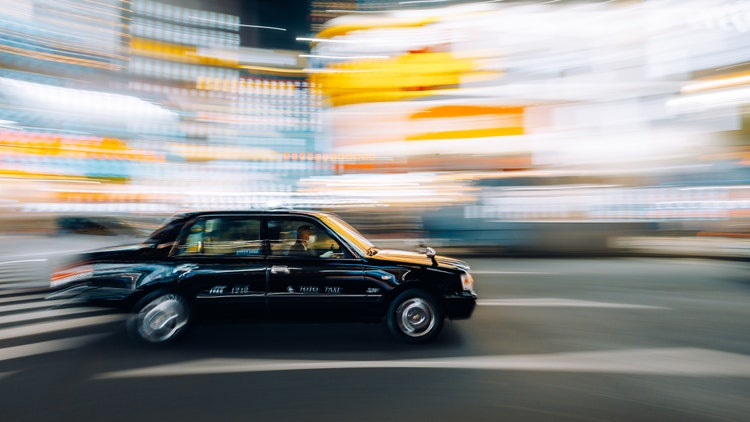
For those interested in capturing motion, such as moving vehicles or bustling crowds, the article on how to photograph car motion offers practical advice for dealing with rapidly changing light and movement.
Post-Processing for Consistent Lighting in Time-Lapse
After capturing your sequence, post-processing is key to achieving smooth, flicker-free results. Here’s how to refine your time-lapse lighting in editing:
- Batch Editing: Use software like Lightroom or Adobe Camera Raw to synchronize adjustments across all frames.
- Deflicker Tools: Specialized plugins or built-in tools in time-lapse software can help eliminate minor exposure inconsistencies.
- Color Grading: Adjust tones and contrast to enhance mood and unify the sequence.
Consistent post-processing ensures your final video flows smoothly, with no distracting jumps in brightness or color.
Frequently Asked Questions
What is the best lighting setup for indoor time-lapse photography?
For indoor projects, use adjustable LED panels with diffusers to create even, soft light. Position your lights to minimize harsh shadows and experiment with color temperature to match your creative vision. Always keep your lighting consistent throughout the shoot to avoid flicker.
How do I prevent flicker caused by changing light conditions?
To minimize flicker, shoot in full manual mode, lock your white balance, and avoid using auto ISO or aperture. If shooting outdoors, plan your sequence for times when light changes gradually, such as during golden hour. Post-processing tools can also help correct minor exposure shifts.
Can I use flash for time-lapse photography?
While it’s possible to use flash, it’s generally not recommended for long time-lapse sequences due to recycle times and battery limitations. Continuous lighting, such as LED panels, is more reliable and provides greater control for extended shoots.
This article contains affiliate links. We may earn a commission at no extra cost to you.
This article contains affiliate links. We may earn a commission at no extra cost to you.
This article contains affiliate links. We may earn a commission at no extra cost to you.
This article contains affiliate links. We may earn a commission at no extra cost to you.
This article contains affiliate links. We may earn a commission at no extra cost to you.